Editorial sample · Researched demo content, not original reporting or hands-on testing. Edit or remove this story from the CMS.
Passkeys explained: prove you have the key without sending it
Public-key authentication changes what a website stores—and what a fake sign-in page can ask you to reveal.

A passkey is not simply a password replaced by a fingerprint. It is a sign-in credential built around public-key cryptography. The FIDO Alliance’s overview explains the standards-based approach, while MDN’s Web Authentication guide describes the browser mechanism.
Two parts, different jobs
At registration, a service receives a public key. The corresponding private key stays with the authenticator or supported credential system. At sign-in, the service sends a challenge and verifies a cryptographic response rather than asking for the private key.
Unlocking a device with a fingerprint, face scan or PIN can authorise that operation. The biometric is not the reusable secret that you type into a website.
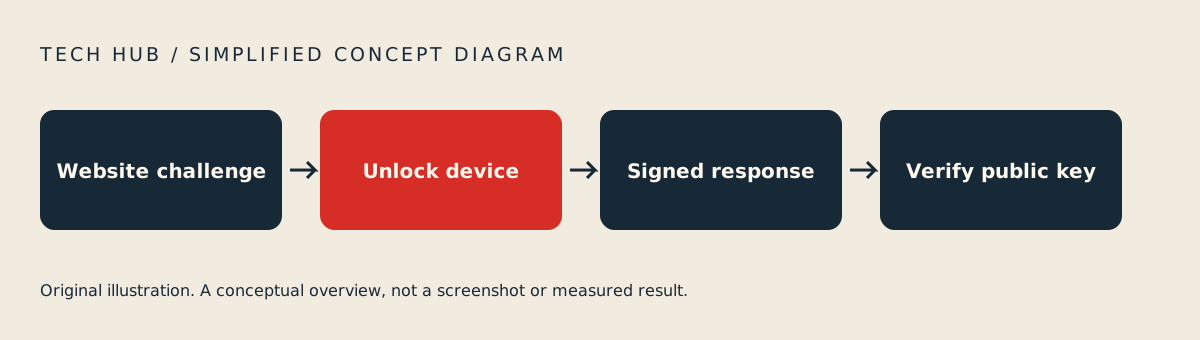
Original Tech Hub conceptual illustration; not a screenshot.
Why the website’s identity matters
WebAuthn credentials are scoped to a relying party, with origin checks in the browser’s authentication process. That binding makes passkeys resistant to the familiar attack in which a look-alike page persuades someone to type the same password they use on the real site.
Phishing resistance is a property of this sign-in process, not a promise that every account operation is immune to scams. Device access, recovery paths and the rest of the service still matter.
Where recovery fits
Some credentials are device-bound; supported passkey systems can also offer synchronisation. Before relying on a method, read the provider’s documentation about replacing a device and regaining access.
Our editorial takeaway is to assess the whole journey: enrolment, ordinary sign-in, a lost-device scenario and removal of access you no longer need.
The useful distinction
Passwords ask you to remember and transmit a secret. Passkeys let an authenticator prove possession of a key without handing that key to the website. That is the central change—not a guarantee that a reader can safely ignore every other account setting.
Editorial sample researched on 6 October 2026. Review articles are documentation-based assessments, not hands-on tests. Sources may change after that date. Original Tech Hub illustrations; no third-party news photographs.